

The new system goes live on Monday and you still don't know what happens to ten years of candidate notes. The vendor says "it all comes across". Your best temp consultant has just asked whether her Friday timesheet chasers will still fire. Your office manager wants to know if she can switch the old system off on Tuesday.
You can move an ATS without losing a placement or a candidate, but only if you decide four things before anyone touches data: what you move, what you archive and what you leave behind; what every status means; which opt-outs and consent records must travel with the candidates; and who sits next to each consultant on the first morning. That takes a decision rule for the data, a mapping method, a weekend run sheet, a training rota and a roll-back plan. The timelines and numbers in the worked examples are hypothetical, so swap in your own.
Why do ATS migrations go wrong?
Many migrations go wrong on decisions rather than technology. Nobody decided what "Submitted" meant, so a perm CV send and a temp shift put-forward landed in the same stage. Nobody decided who owned the old system after go-live, so it quietly stayed open and half the desk kept working in it. Nobody wrote down which candidates had asked to stop receiving emails.
The vendor guides cover the plan. Atlas, an ATS and CRM vendor, lists a dozen common migration mistakes (19 August 2025), among them underestimating the data audit, poor field mapping, inadequate consultant training and no contingency plan. They come from vendors who want you to switch, so read them for the shape and then look at what they leave out. Atlas's migration checklist says nothing about consent, suppression lists or Australian law, names GDPR and nothing else on the subject, and has no roll-back plan. Bullhorn's Australian implementation guide of 30 December 2021 tells you to "ensure that you have sufficient data backup before you launch" and to give staff time to learn the software, but data migration isn't one of its five steps.
An agency has an extra problem. Your records are connected. A candidate has placements. A job has several candidates against it at different stages. A contact might be a client and a former candidate. Move the people without the links and you've kept the names and lost the history that makes them valuable.
So treat the project as a handful of decisions, each with an owner, and run the data work after you've made them. If you haven't yet signed with the new vendor, the exit plan guide covers the contract questions, including what you can retrieve when you leave. This post picks up once you've decided to move and need to run it.
Who owns the project, and what do they decide?
Before you touch a record, name your project team. JobAdder's guide to switching, written by Sarah Linney on 30 June 2021, names four roles: a project sponsor, a project manager or lead, a super user and system testers. They fit many agencies.
- Sponsor. Usually you, the owner or a director. Signs off scope, accepts risk, makes the call to go or roll back.
- Project lead. An operations manager or a senior consultant with spare capacity. Runs the plan, the checklist and the daily check-in. This is not a side job, so clear their desk.
- Super user. The consultant everyone already asks when something doesn't work. Tests, trains and becomes the first line of help after go-live.
- Testers. One consultant from each desk (perm, temp, contract, business development), so each desk's way of working gets checked by someone who lives it.
Write down who decides what. The sponsor decides scope and the go or roll-back call. The project lead decides sequencing. The super user decides whether a test passed. Disputes go to the sponsor within a day, because a stuck decision in week three costs a weekend in week eight.
Next, book the vendor's side. Ask your new vendor for a timeframe specific to your agency, because JobAdder's own guidance says exactly that: "Your new ATS vendor should be able to give you a clear timeframe based on the specifics of your company." Ask who does the data mapping, who does the load, who checks it and what the vendor's cut-over support looks like on the weekend itself. Put the answers in writing. If a vendor says its migration is free, ask exactly what's in scope. A free migration that only brings across basic contact fields is an expensive one if your history sits in notes and attachments.
What should you move, archive or leave behind?
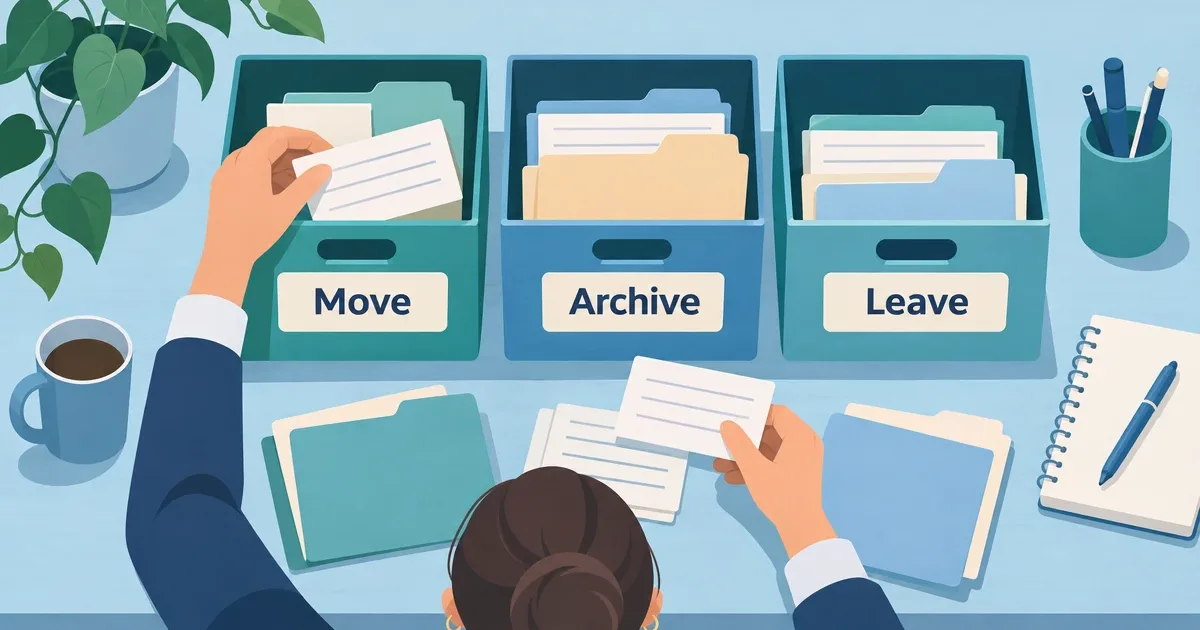
Move what a consultant will use on a live job. Archive what you must keep but won't use. Leave behind what you have no reason to hold. That is the whole rule, and the hard part is applying it honestly record by record.
Use this table as a first pass. It's a starting position for a perm and temp agency, not a legal opinion.
| Record type | Default | Test to apply | Watch for |
|---|---|---|---|
| Candidates active in the last 24 months | Move | Contactable, with a recent note, application or placement | Records with no email and no phone |
| Candidates with a placement | Move, with the placement links | Placement date, client, job and fee all present | Orphaned placements with no candidate |
| Candidates untouched for years, no placement | Archive or leave | Any lawful reason to keep them? | See the retention note below |
| Candidates who opted out or unsubscribed | Move as suppressed, never as blank | Opt-out flag and date arrive intact | Opt-outs lost in a mapping gap |
| Duplicate candidates | Merge before you move | Same person, confirmed by a second identifier | A name match alone |
| Clients and contacts with a job in 3 years | Move | Live relationship or live opportunity | Contacts who left the company |
| Closed jobs | Move last 12 to 24 months, archive the rest | Needed for repeat orders or fee history | Jobs with open placements attached |
| Notes and activity history | Move as notes, attached to the right record | Readable text, a date and an author | Notes landing on the wrong record |
| CVs and attachments | Move for records you move | File opens, links to the right person | Attachments migrate after core data in some vendor processes |
| Temp timesheets and pay records | Keep, wherever they live now | Legal retention period | The old ATS being the only copy |
The reasoning behind each default is plain. A live candidate with a recent note is what a consultant will search for on Monday morning. A candidate from 2014 with a phone number that has been disconnected for six years is clutter. Moving clutter has a cost: it slows your searches, it inflates your database and it hides the good records.
Don't clean everything before the move. Clean what a consultant will hit in the first month: active candidates, open and recent jobs, live clients. Merge the obvious duplicates now, because merging after the move means doing it in a system your team doesn't know yet. Leave the long tail for the archive decision. Our guide to recruitment database quality goes further on duplicates and when not to merge: a matching name isn't proof, and a wrong merge can fuse two people's histories.
One more category deserves a decision of its own: custom fields. If you've added fields over ten years, some are vital and some were someone's experiment in 2017. Manatal's JobAdder migration guide is a useful example of how this works in practice: its wording is "Please raise to the migration team for custom fields to be included in the migration", which tells you to ask rather than assume. Whatever your new vendor's process is, assume custom fields will be left out unless you ask, and ask early.
Finally, take your own copy. Ask your current vendor in writing what a full export includes: records, notes, attachments, links between records, opt-out flags and audit history. Manatal's guide describes the JobAdder route as a request to the vendor's support team, so allow for turnaround time. Open the export yourself, pick five records and check that a note, an attachment and a placement are all there. This is how you find out what "all" means before it's your Monday. It's your insurance, and it costs one afternoon.
How do you map fields and statuses?
Mapping is where your old system's habits meet the new system's rules. Do it in a spreadsheet, one row per field, with a column for what the field means in practice. Atlas's mistakes list says to align fields thoughtfully, "especially if you have custom tags, statuses, or workflow stages", and that's the right instinct, though it doesn't show you how.
Start with fields. For each one, write down four things: the old name, the new name, a sample value and what happens to a blank. A field called "Source" in the old system might hold "LinkedIn", "linkedin", "LI" and "Seek via Sarah". If the new field is a fixed list, you have to choose how those four values fold into one. Decide that now, in your spreadsheet, not at 11pm on cut-over night. The JobAdder field mapping worksheet shows the same method for an integration, and it works just as well for a migration.
Then do statuses, which is where agencies get hurt. A stage name can hide several meanings. Say your old system has a stage called "Submitted". On the perm desk it means "CV sent to the client". On the temp desk a consultant used it for "contractor put forward for a shift". A third consultant used it for "I'll send it tomorrow". If the new system has "Submitted to client" and "Interviewing" and you map "Submitted" to the first, you've just told the system that a candidate was put forward who never was.
A hypothetical mapping for a mixed agency shows the idea. The point is the last column.
| Old status | Old meaning (agree this with each desk) | New status | What to do with doubtful records |
|---|---|---|---|
| Submitted | CV sent to the client | Submitted to client | Check the sent email or note for a date |
| Submitted | Put forward for a shift | Offered shift | Map by desk, not by name |
| Submitted | "I'll send it tomorrow" (not sent) | Shortlisted, not submitted | No sent email or dated note: needs-review list |
| Interview 1 | Client interview booked | Client interview | Keep the booked date |
| Offer | Verbal offer made | Offer made | Check for a placement record, and list every open offer by hand (see the cut-over section) |
| Placed | Start date confirmed | Placed | Confirm start date and fee exist |
| On hold | Anything goes | Parked, with a reason | Review the open ones by hand |
| Rejected | Candidate or client said no | Not progressed, with a reason | Keep who said no |
Two rules make this work. First, map by meaning, and where a status has more than one meaning, map by desk or by a rule such as "has a placement record". Second, any record that doesn't fit cleanly goes to a "needs review" list owned by a named person, not into the nearest status. That list is also your first test of how messy your data really is. Our guide to defining application statuses consistently covers the definitions side if your desks have never agreed them.
While you're mapping, write the reverse too: what a consultant will see for a candidate who was "Submitted" last Thursday. Open one of those records in a spreadsheet of the planned result and ask the owning consultant whether it's right. They'll find the problem in ten seconds.
What must carry over in Australia?
Three duties catch agencies out, and the vendor guides cited above don't set out the Australian rules for any of them (Atlas's mistakes list touches on consent and retention only under GDPR). This is general information, not legal advice. Check your own position with your adviser.
Opt-outs and consent. The Australian Government's business.gov.au page on promoting your business by email says that the Spam Act 2003 sets out the rules for sending electronic commercial messages, and that "by law, you must have the customer's permission to send electronic messages before you send them", and that where you rely on express consent you must "keep a record of who gave permission, when and how". It also says you must remove people from your mailing list "no later than 5 working days from them asking you to unsubscribe them". Think about what that means for a migration. Your old system holds the unsubscribe list and the consent records. If those fields don't map, the first bulk email from the new system lands in the inbox of someone who unsubscribed in 2023. Treat opt-outs as a first-class data type: export them separately, load them first, and test that a suppressed candidate really can't be added to a send.
A suppression list is simply the list of people you must not email. Make sure it exists as a list, a tag or a flag in the new system before you import a single marketing contact. And if your old system sends your newsletters or job alerts, work out which system is sending in the cut-over week, so a candidate who unsubscribes on Wednesday is honoured on both sides.
Holding only what you still need. Privacy law also bears on what you keep. Whether the Privacy Act covers your agency, and what it asks you to do with personal information you no longer need, depends on your size and circumstances. Get that answer from your lawyer or from the Office of the Australian Information Commissioner before you settle the "leave behind" rule, and don't assume you're exempt. Whatever the answer, moving a decade of records you've no purpose for carries that exposure into a new system. Write down your retention rule, such as how long a candidate with no activity stays, and apply it during the audit rather than after. The same rule governs the old system once you switch it off, and the final export you take from it. That file still holds every record you left out of the new system, and some you must retain, so one delete date can't fit both. Keep the records you must retain until the longest retention date, and give the left-behind set its own, earlier written delete date. Split the export to do that, or put the left-behind records through your retention rule before you store the file. When the contract ends, ask the old vendor in writing how and when your data is deleted, and keep the reply.
Records you must keep for other reasons. If you employ temps, business.gov.au says that "you're legally required to keep some employment records for 7 years" and that "you must keep some records relating to an employee's tax and super for 5 years". Your payroll system probably holds most of that. But find out whether any of it, or the evidence behind it such as timesheet approvals, lives only in the old ATS. If it does, that data isn't "leave behind". It's "archive and keep accessible".
Should you run both systems side by side?
Yes, briefly and with rules. Atlas recommends "a parallel run approach, where both systems are live for a brief period" as a safety net, and we agree, with one change: make the old system read-only the moment the new one is live, apart from a named exception list.
The reason is simple. If consultants can edit both, you'll get two versions of the truth within a day. A candidate's status changes in the old system on Monday, and nobody sees it in the new one on Tuesday. Reconciling that later is worse than any inconvenience from making the old system read-only.
Run the overlap like this.
- Freeze the old system at the start of the cut-over. Set it to read-only or remove edit rights for everyone except the project lead.
- Keep it searchable for a fixed window. Two to four weeks is a workable window for the exceptions. Pick a date and put it on a wall.
- Record every look-back. When a consultant goes back to the old system to find something, they log what they were looking for and why. That log is your list of what the migration missed, in the order consultants hit it.
- Fix the pattern, not the instance. If three people search the old system for placement fee history, the fee history didn't come across or isn't where they expect it. Fix it in the new system.
- Switch off on a named date, after a final export. Take a last full export, store it somewhere access-controlled and tell the team the switch-off date in advance. The export is your archive, and it still holds the records you left behind. Store what you must retain until the longest retention date, and give the left-behind set an earlier written delete date (see the retention paragraph above).
A simple log suits the look-back record well: date, who, what they needed, what was missing, and what was done.
If you do want to keep new records flowing into both systems for a few days, do it deliberately and on one desk, not across the agency. Two-way copying by hand is how duplicate placements are born.
What does a cut-over weekend look like?
A cut-over is the moment the live work moves from the old system to the new. Run it over a weekend, after a trading week with no month-end or payroll deadline in it. Temp desks should avoid the week of a public holiday, because Monday's shift confirmations are the work you can least afford to get wrong.
The run sheet below is an example. Shape the times around your payroll and your slowest day.
- Friday, 5pm. Final trading call. Tell the team no new records after 6pm. Consultants finish notes, statuses and timesheet approvals for the day.
- Friday, 6pm. Freeze. Old system goes read-only. The project lead takes a final export, checks five sample records in it and hands out the weekend log (see below).
- Friday night to Saturday morning. Final load. The vendor loads the data. This isn't your first load: you'll have run at least one full trial load already.
- Saturday, midday. Reconciliation. Compare counts between old and new: candidates, clients, jobs, placements, notes, attachments, opt-outs. Differences need an explanation, not a shrug.
- Saturday afternoon. Spot checks. The testers open the "needs review" list, the ten records each of them knows best and the deals-in-flight list described below.
- Sunday morning. Switch on integrations and email in test mode. Job board postings, email sync, calendar links and marketing sends come on only after the data is confirmed, and only in test mode. Check each against a handful of records, including one suppressed candidate, so a faulty import can't trigger a bad send.
- Sunday midday. Go or roll back. The sponsor decides, using the roll-back triggers below and the integration check from step 6. Nobody should make this call on Monday at 8am.
- Sunday evening. Go live, load the weekend's work and message the team. Switch the integrations from test to live. The project lead then enters the weekend log and the held job board applications. Then one page goes to everyone: where to log in, who to ask, what is read-only now, and the floor-walker rota.
The weekend and the temp desk. Work doesn't stop because the old system is read-only. Job boards keep delivering applications on Saturday, and temp shifts get cancelled and refilled. Decide before Friday where each one lands. Applications can sit in the job board inbox or a shared mailbox until the project lead loads them on Sunday night. Name one person to take weekend shift changes on a shared sheet or a paper log (date, shift, who, what changed), entered before Monday's first confirmations go out. Pay needs a date too. Approve the last timesheets in the old system before the freeze. As a suggestion, run the first pay run from the old system if it holds the approved timesheets, and move the payroll export to the new system only after you've matched one pay run's totals line for line against the old one. A pay run is the one place you can't fix forward. Say where a timesheet for a Friday shift is entered if it arrives on Monday, and who approves it. Then list what the old system does by itself, such as Friday timesheet chasers, and say which of them will fire from the new system on Monday.
Deals in flight. Before the freeze, write out by hand every open offer, every client interview in the next week and every placement still inside its rebate or guarantee period. After the final load, check each one in the new system on Saturday: right candidate, right client, right dates, right fee. Matching record counts won't tell you that a fee has gone missing, and these are the records where a fee is lost.
Order matters in steps 6 to 8. Test the integrations before the go call, and take nothing live until after it. If you turn on email sending before you've confirmed opt-outs, you risk exactly the breach described earlier. If you turn on a job board feed before statuses are checked, a closed job reopens on a job board.

How do you train consultants and run a floor-walker rota?
A floor-walker is a person who walks the office on go-live days and answers questions in the moment. It sounds small and it matters more than the training session, because consultants don't learn software in a classroom. They learn it with a candidate on the phone.
Atlas warns that "without structured, proper training during onboarding", recruiters may revert to old habits or spreadsheets, and Bullhorn's guide says to "designate a sufficient period of time for your employees to learn and understand the software". Both are right, and neither tells you how long. The table below is a pattern to adapt for a 20-consultant agency.
| When | What | Who | Length |
|---|---|---|---|
| 2 weeks before | Super users trained by the vendor | Super user and testers | Half day |
| 1 week before | Desk-by-desk walkthrough using your own sample records | Super user, with one consultant per desk | 60 to 90 minutes per desk |
| Day before go-live | "Five things you do every day" cheat sheet handed out | Everyone | 20 minutes at stand-up |
| Go-live Monday | Floor-walkers on the floor from 8am | Super user plus project lead | All day |
| Tuesday to Friday | Floor-walker rota, two named people at a time | Super user, project lead, testers | Morning and afternoon blocks |
| Week 2 | Daily 15-minute stand-up on what's broken | Project lead | 15 minutes |
| Week 4 | Review: what do people still go back to the old system for? | Sponsor and project lead | 45 minutes |
Write the "five things" cheat sheet around the real day. Find a candidate. Add a note. Move a candidate to a stage. Put someone forward to a client. Send an email. Everything else can wait. That's why the sheet stops at five: a consultant who can do them in the first week should be able to work out the rest, and one who can't will drift back to a spreadsheet.
Rota the floor-walkers like shifts. Name the two people on each morning and afternoon block, put their names on the wall and tell the team they're allowed to interrupt. A consultant with a candidate on hold won't hunt for the super user. They'll guess. Your floor-walker's job is to be near enough that guessing isn't necessary.
Also tell consultants what won't change. The calls, the briefs, the shortlist and the fee conversation are yours. The system only has to hold the record.
A worked timeline for a 20-consultant agency
Say you run an agency with 20 consultants across perm, temp and contract desks, about 38,000 candidate records and a decade of history. All numbers here are hypothetical, so use your own. Your vendor's timeframe will differ. JobAdder's guide says "Each ATS transition is unique, and therefore so is the expected timeframe for how long a transition can take," so treat this as a shape rather than a quote.
| Week | Focus | Output | Owner |
|---|---|---|---|
| 1 | Scope and roles | Sponsor, lead, super user and testers named. Keep, archive or leave rules agreed | Sponsor |
| 2 | Export and audit | Written export scope from the old vendor. Five-record check done. Retention rule written | Project lead |
| 3 | Mapping | Field and status mapping spreadsheet agreed by each desk. Opt-out handling decided. Automations such as timesheet chasers listed | Project lead and testers |
| 4 | Clean the live set | Active candidates, open jobs and live clients cleaned. Obvious duplicates merged | Consultants, in blocks of one hour a day |
| 5 | Trial load one | First full load into a test environment. "Needs review" list produced | Vendor and project lead |
| 6 | Test with real records | Each tester checks ten records they know. Faults logged and fixed | Testers |
| 7 | Trial load two and training | Second load. Desk walkthroughs. Cheat sheet written | Project lead and super user |
| 8 | Cut-over weekend | Freeze, final load, reconcile, go or roll back | Sponsor |
| 9 to 10 | Floor-walkers, read-only old system, look-back log | Fixes shipped daily | Super user |
| 11 to 12 | Review and switch-off | Final export stored. Old system switched off on the agreed date | Sponsor |
Weeks 1 to 4 are decisions and clean-up before any load runs. The loads all sit inside weeks 5 to 8: two trial loads, then the final one on the cut-over weekend.
The plan also costs your desk. Week 4 asks each consultant for an hour a day, which in a billing agency isn't free. Schedule it away from your peak calling hours, agree it with desk managers and don't let a quiet Friday arrive with half the clean-up undone.
How do you test with real records?
Test with records your consultants know, not records a vendor picked. A vendor's sample will be tidy. Yours won't be.
Each tester picks ten records from their own desk: three straightforward, three with a long history, two with an unusual status and two they know are a mess. For each one, they check the same list.
- Is the person or company there once, not twice?
- Do the contact details match what they remember?
- Are the notes there, in order, on the right record?
- Is the CV or attachment there and does it open?
- Is the status right, and does it mean the same thing?
- Are the links right: candidate to job, job to client, placement to fee?
- If this person unsubscribed, can they be emailed?
Log each failure with the record, what's wrong and who's fixing it. Count the failures by type. If most are notes on the wrong record, the problem is a mapping rule, not ten separate mistakes, and fixing the rule fixes all of them.
Agree a pass mark before testing starts. You might say that no failure in opt-outs, placements or fee fields is acceptable, and that up to one in twenty cosmetic failures in notes formatting is tolerable. The exact numbers are yours. What matters is that you decided before you saw the results, so nobody argues the threshold at midnight on Saturday.
Run the whole test twice: once on the first trial load and once on the second. The second run shows whether fixes held.
What if it goes wrong, and what are the objections?
Plan the roll-back before you need it. A roll-back means going back to the old system for live work. The point of no return is Sunday evening's load, when the weekend's work goes into the new system and the two systems start to hold different records. Before it, rolling back costs you the weekend. After it, you re-key the weekend log into the old system, which is small but not zero, and once Monday's first live work is in the new system you fix forward instead. That's why integrations run in test mode until Sunday's go call, why the weekend's work is loaded only after it, and why you freeze the old system rather than delete it. Make Sunday's call properly, because you can't count on Wednesday to undo it.
Agree these triggers in writing before cut-over, and let the sponsor call it on Sunday:
- Any failure in opt-outs, so a suppressed candidate can be emailed.
- Placements or fees missing or attached to the wrong candidate.
- Counts between old and new that differ without an explanation.
- A login or permissions failure that stops a desk working.
- A faulty integration, found in Sunday morning's test, that changes records in the wrong direction.
If you roll back, you've lost a weekend, not a business. If you push on despite a trigger, you may lose a client's fee history, and you'll find out in a month.
A few objections come up every time.
"We haven't got time for all this." The preparation takes weeks, and that feels expensive until you're correcting statuses on live placements with candidates on the phone. Cut scope, not planning. Move less data.
"The vendor says it's all handled." Ask what "all" is. Ask for the mapping in writing, ask who checks the load and ask what happens to custom fields and attachments. A vendor who's done this often will welcome the questions.
"Can't we just do it on a Friday and see?" You can, but the first week then runs without a safety net, and your consultants find the problems with candidates on the phone. Weekends exist for this reason.
"Do we need to keep the old system?" Keep it read-only for a window and take a final export. Then switch it off on a date, not by drift. A second subscription for a few weeks usually costs little beside the cost of a missing placement history.
"Our database is our asset." It is, and archive isn't delete. Move the candidates a consultant would actually ring: past placements, silver medallists, anyone with a recent note. Archive what you might want again, in a form you can get back to. What you don't need is every record live in the new system, because each live record is one you have to keep right and that adds noise to every search. The test is simple: would a consultant ring them?
"Our consultants hate change." Consultants rarely hate change itself. They hate losing time with a candidate on the line. Floor-walkers and a five-things cheat sheet answer that directly.
Where FluxHire fits
FluxHire is an AI agent framework for recruitment agencies, an alternative to the traditional ATS and CRM. The human control is plain: FluxHire's assistant prepares record changes and holds them for approval, and a proposed change is written only once someone approves it.
During early access, agencies evaluate FluxHire alongside their current ATS, so looking at agents doesn't need a cut-over weekend. The supported records, integrations and review steps are confirmed with each team. If you're weighing a change of system anyway, the plan above is also the checklist to put in front of any vendor, FluxHire included, and the guide to ATS, CRM and AI agents explains where each layer sits. The FluxHire platform page lays out what agents do and where a person approves, and you can request early access there.
What the next Monday looks like
Picture the Monday again. The new system is live. The old one is read-only, with a date on the wall for switching it off. Your temp consultant has found her timesheet chasers where she expected them, because you mapped them in week three. And the ten years of candidate notes? The ones you moved are attached to the right people. The ones you archived are in a stored export with a retention rule. The ones you left behind are not in the new system, and they have their own delete date.
Your office manager has the switch-off date written on the wall calendar, and the old system is still there, read-only, until that date.
Frequently asked questions
How long does an ATS migration take for a recruitment agency?
It depends on your data, your vendor and how much cleaning you do. JobAdder's own guide says each transition is unique and tells you to ask your vendor for a timeframe specific to your agency. For a 20-consultant agency, a plan of roughly 8 to 12 weeks, with no load before week 5 and the final load on the cut-over weekend, is a sensible shape to test against the vendor's quote.
What data should an agency leave behind when switching ATS?
Leave behind records you have no purpose for, such as long-inactive candidates with no placement and no lawful reason to keep them. Whether the Privacy Act applies to your agency, and what it asks of you for information you no longer need, is a question for your lawyer or the Office of the Australian Information Commissioner. Keep anything the law requires you to retain, such as some employment records for 7 years, and write your retention rule down before the audit.
Do unsubscribes and consent records have to move to the new system?
Yes, in practice. Under the Spam Act 2003 rules the Australian Government's business.gov.au page sets out, you need permission to send electronic messages (check how the Act treats your recruitment emails and job alerts), a record of who gave express consent, when and how, and you must remove someone within 5 working days of an unsubscribe request. Export opt-outs separately, load them first and test that a suppressed candidate can't be added to a send before you switch email on.
Should we run the old and new ATS in parallel?
Briefly, and with the old system read-only. Two editable systems produce two versions of the truth within a day. Keep the old one searchable for a fixed window of a few weeks, log every look-back, and switch it off on a named date after a final export.
What's the biggest risk when mapping statuses?
Statuses that mean different things on different desks. A stage called "Submitted" might mean a CV sent to a client on the perm desk and a contractor put forward for a shift on the temp desk. Map by meaning, agree each definition with the desk, and send doubtful records to a named person's review list.
Sources
- What to expect when switching your ATS provider, JobAdder (Sarah Linney), 30 June 2021
- ATS/CRM implementation tips and guidelines, Bullhorn Australia, 30 December 2021
- ATS migration mistakes, Atlas, 19 August 2025
- ATS migration checklist, Atlas, 30 September 2025
- JobAdder to Manatal migration guide, Manatal support, undated
- Promoting your business by email or text messages, business.gov.au (Australian Government), undated
- Employee records, business.gov.au (Australian Government), undated